AI for the Reluctant Lawyer

AI for the Reluctant Lawyer
Join to access free
Professional members and above get unlimited live and OnDemand CLE, and Sustainer members get 25 OnDemand hours.
Non-member price Original price was: $315.Current price is: $250.

GenAI Case Law: A Survey of 50 Judicial Opinions Addressing Use (and Misuse) of GenAI in Court Documents

This CLE presentation explores judicial opinions issued over the past two years that reference Generative AI, providing real-world examples of how judges, lawyers, pro se litigants, and experts are using these tools—some with cautious ingenuity, and others with adverse consequences. By examining creative use cases alongside instances of misuse that led to admonitions, sanctions, or penalties, we will enhance our awareness of the evolving potential role of Generative AI in legal practice, and discuss how to deploy these technologies ethically and responsibly in legal problem-solving.

Heidi Brown, New York Law School

Embracing AI: ChatGPT Tips to Make Your Law Practice More Productive

Discover how ChatGPT can become your secret weapon for managing your law practice more efficiently. In this interactive workshop, you’ll learn how to use this cutting-edge AI tool to streamline tasks, enhance client communication, and overcome common productivity hurdles. Packed with practical tips and real-world applications, this session will empower you to leverage AI technology to reduce overwhelm, save time, and increase focus on the tasks you love in your legal practice.

Whether you’re looking to organize case research, draft documents, or improve time management, this workshop will leave you with actionable insights you can apply immediately to transform your practice.

Key Takeaways:

- Streamline Legal Tasks: Automate contract drafting, research, and client communication to save time.
- Enhance Focus and Efficiency: Build workflows, task lists, and break down complex projects.
- Automate Administrative Work: Simplify scheduling and document summaries to focus on higher-value tasks.

This workshop is ideal for lawyers at all career levels who want time back in their schedules and want to learn to use innovative tools to streamline their workflows, enhance their productivity and reduce stress while maintaining a high standard of service for their clients.

Sonya L. Sigler, Founder, PractiGal

Embracing AI: GC_ai, ChatGPT Tasks, and Staying Compliant

In this fast-paced webinar tailored for legal professionals, explore how advanced AI tools like GC_ai can streamline workflows, boost efficiency, and function as a sort of AI assistant GC. We’ll also dive into ChatGPT’s new Tasks feature, unveiling a mind-blowing way to get AI to work for you in the background, on a schedule, researching whatever you need. Alongside practical demonstrations, we’ll pinpoint key compliance and ethical considerations –– ensuring you stay on the right side of client confidentiality, privilege, and emerging regulations, and wrap up with a self-assessment checklist to test your AI compliance readiness. Whether you’re new to AI or a seasoned user looking to sharpen your practice, this crash course delivers actionable insights to keep you ahead of the (double-exponential) curve of today's rapidly evolving AI legal landscape

Marc Hoag, Attorney and Fractional GC, Marc Hoag Law.

Embracing AI: Use of Claude.ai in a Law Firm

Claude.ai, an artificial intelligence chatbot, has taken the country by storm. Within the first five days of its release, Claude.ai reached 1 million users. Recently, Claude.ai passed the Multistate Bar Exam with flying colors, with a score exceeding that of the average human bar exam taker. Please join this session to learn about the pros and cons of using Claude.ai in the legal field and how you can use incorporate this new AI technology to enhance your practice.

Alexander Paykin, Esq., The Law Office of Alexander Paykin, P.C.

AI for the Reluctant Lawyer: No Code, No Jargon, No Panic

They say the first step is the hardest…here is your opportunity to take it! Join retired Commissioner Gretchen W. Taylor, Ret. CFLS and family law attorney Jillian Duggan-Herd CFLS for a practical and engaging exploration of artificial intelligence in legal practice. This webinar is tailored for attorneys seeking to understand the basics and implement AI technology while maintaining their professional standards. We'll demystify AI with real-world examples, covering what AI is, essential ethical considerations, and simple steps to get started - all presented with a light touch that makes learning about new technology approachable and even enjoyable. Whether you're a WordPerfect loyalist or willing to explore new technological horizons, you'll leave with practical knowledge to confidently integrate AI into your practice.

Comm'r Gretchen W. Taylor (Ret.), CFLS, Mediator, Arbitrator, Judge Pro Tem, Signature Resolution
Jillian Duggan-Herd, CFLS, Partner, Cage & Miles

A Lawyer's Guide to AI Prompt Writing

Learn how to write the most effective prompts with your AI technology so you can get the information you need quickly and accurately. ChatGPT and other generative AI programs can be powerful tools for legal professionals, but knowing how to ask the right questions is the key to unlocking their potential. Writing a prompt (the query or question you ask AI) isn’t as cut and dry as you’d think. If you want the best results for your queries, you need to understand how to write effective prompts.

Join attorney Jordan Turk as she takes you through strategies to optimize your use of AI, as well as pitfalls and ethical issues to avoid. Accurate prompt engineering in AI programs can allow you to do a variety of different things, such as alter the tone of your client emails, eliminate ambiguity in your writing, and effectively analyze different legal positions. The sky is the limit for this type of generative AI, and all legal professionals need to understand how to use it if they want to stay competitive in the future legal services market.

In this webinar, you’ll learn:
- What AI prompts are and how effectively writing prompts assists legal professionals
- Tips to generate useful AI prompts that get you the answers you need
- Potential pitfalls and ethical considerations as you use AI
- A live demonstration of how to tailor your prompts

Ask the speaker a question. Email and be sure to include the program name in the subject line.

ChatGPT, Claude, Gemini, and CoPilot: A Comparison Through Real-World Examples

Using real-world legal examples, this presentation will showcase the capabilities of industry-leading AI tools such as ChatGPT, Claude, Gemini, and CoPilot, demonstrating how they can be utilized in your legal practice.

Additionally, the presentation will address critical aspects of privacy and highlight the unique strengths of each AI tool, enabling you to make well-informed decisions when incorporating AI into your legal technology strategy.

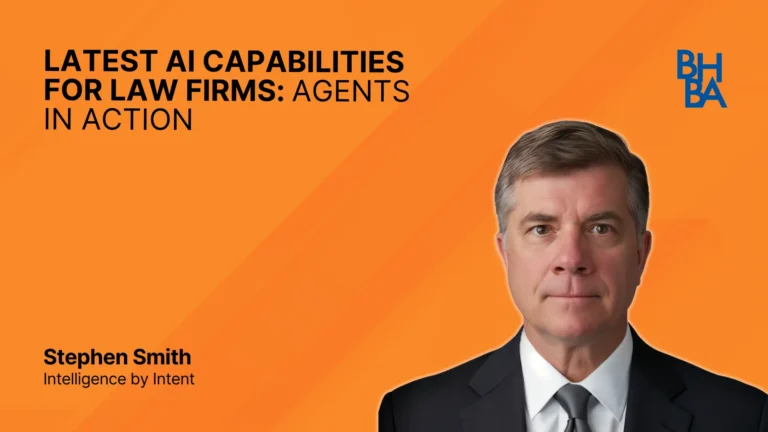
Over the past two years, our speaker, Stephen M. Smith, has provided AI education to over 100 organizations, teaching them how to transform their businesses with AI tools to increase productivity, improve analytics, overhaul their content creation processes (from marketing content to legal briefs), lower costs, and increase revenues

ChatGPT 5, Claude 4.1, and Gemini: The Next Round

The AI landscape has evolved—and so have the ways these tools can transform your legal practice. In this fast-paced follow-up to last year’s hit program, Stephen M. Smith takes a sharper, deeper look at ChatGPT 5, Claude 4.1, and the latest Gemini model, revealing advanced capabilities, fresh legal applications, and the latest updates you need to know. You’ll see how these platforms can draft more persuasive briefs, uncover insights faster, strengthen client communication, and streamline complex workflows—all while navigating critical privacy and security concerns. Packed with real-world examples and practical takeaways, this session will help you choose and deploy the right AI tools to gain an undeniable edge in your legal practice.

Stephen Smith, Intelligence by Intent

From Buzzwords to Build Mode: Creating Custom GPTs for Legal Workflows

Tired of AI panels that hype the future but skip the how-to? This practical session cuts through the noise to show tech-forward lawyers exactly how to build their own lightweight AI tools—no coding required. You’ll learn how OpenAI’s custom GPTs can be quickly configured to streamline repetitive legal tasks, from contract review and subpoena responses to deposition summaries and litigation timelines. We’ll walk step-by-step through building one, explore real legal use cases, and cover critical privacy and privilege concerns. If you're ready to stop talking about AI and start putting it to work, this session is for you.

Aaron Bath, Balfour Beatty

About this package

This series offers attorneys a practical, jargon-free introduction to artificial intelligence tools like ChatGPT, Claude, Gemini, and Copilot. Learn how to effectively integrate AI into your practice, from automating legal tasks and drafting prompts to enhancing productivity and ensuring ethical compliance. Topics range from comparative tool analysis to hands-on demonstrations of real-world applications, as well as a review of 50 judicial opinions addressing AI-related misuse. Whether you're tech-savvy or AI-hesitant, this series provides accessible, relevant content to help lawyers confidently embrace the future of legal practice.

This OnDemand CLE package earns 7.5 hours of credit in California. It includes 9 programs.

Award-Winning. Nationally Recognized. Always Relevant.

Named Best CLE Provider and Best Online CLE Provider by The Recorder in both 2025 and 2026. Built for lawyers, by lawyers, to keep you ahead.


The Recorder Best of 2026, CLE Provider The Recorder Best of 2026, Online CLE Provider The Recorder Best of 2025, CLE Provider The Recorder Best of 2025, Online CLE Provider

Stream anywhere

Watch on your phone, tablet, or computer, whenever it fits your schedule.

Certificate in minutes

Your certificate is emailed automatically and saved in My BHBA+.

Track your credits

My BHBA+ shows your credits, deadlines, and progress in one place.